
CopyPasteTutor is a simple JavaScript program to help improve copy and paste skills.
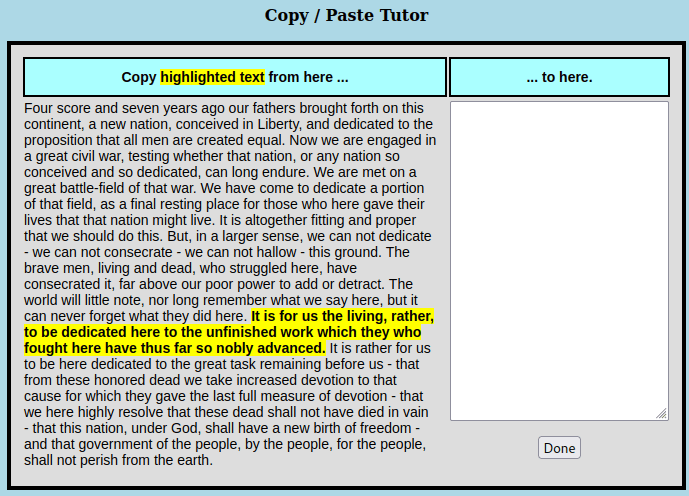
The program will show text on the left (Gettysburg Address) and a blank box on the right. One sentence of the text will be highlighted in bold and yellow. You will need to select that highlighted text (click and drag the mouse), and then copy it to the clipboard and paste it into the white box before clicking the “Done” button. After clicking “Done”, a new sentence will be highlighted if the pasted text matched the yellow highlighted text. If the pasted text didn’t match, then the originally highlighted text will remain highlighted.
Continue to repeat the process to improve your skills. You may find that your computer will allow you multiple ways to copy and paste the text. For example, on many computers, you can use the “Control-C” combination to copy the text, and the “Control-V” combination to paste it. But on other computers you may need to use other key combinations. Similarly, on many computers you can use the right mouse button to bring up a menu that will allow you to select the “Copy” or “Paste” operations.
You can download CopyPasteTutor below. It will be a “ZIP” file which can be unpacked with most operating systems. The unpacked file will be named CopyPasteTutor.htm. If you double click on that file it should open CopyPasteTutor in your web browser.
 Magnolia Mobile News