
The Magnolia Mobile Computer Club was founded on June 17th, 2021. The Club’s Mission statement was unanimously approved by all attendees:
The Magnolia Mobile Computer Club (MMCC) is dedicated to helping residents begin, improve, and share their computer skills.
The MMCC meetings will be a venue for both getting and giving help. Meetings are held every Thursday at 4pm in the card room (typical) or the main club house (as needed).

Please join us!!
Next Meeting: Every Thursday at 4pm in the Card Room (or sometimes Clubhous)
Topic: Open Discussions and General Help
Computer Articles: Check out our Computer Articles Page.
Meeting History:
June 17, 2021 at 3pm – 9 attendees
– Introduction, Vote on Mission Statement, Vote on Meeting Times (4pm)
– 3 signed up to try out a Raspberry Pi Model 3 A+ computer
June 24, 2021 at 4pm – 9 attendees
– Short Introduction to Programmable Machines, Club Member Requests
– Report from a Club Member on the ease of learning to use a Raspberry Pi
July 1, 2021 at 4pm – 4 attendees
Computer File Systems – How files are stored on disk and in a directory tree
July 8, 2021 at 4pm – 5 attendees
Organizing files, Raspberry Pi, Help with Microsoft Office and Libre Office
July 15, 2021 at 4pm – 4 attendees
Dual booting Windows/Linux, Installing/Learning LibreOffice, Printer help
July 22, 2021 at 4pm – 4 attendees
Internet, Magnolia Mobile News Forum, and Social Media in general
July 29, 2021 at 4pm – 3 attendees
Operating Systems – Comparing Windows and Raspberry Pi OS (Linux)
August 5, 2021 at 4pm – 3 attendees
Open session – General questions and neighbors helping neighbors
August 12, 2021 at 4pm – 3 attendees
Open session – General questions and neighbors helping neighbors
August 19, 2021 at 4pm – 4 attendees
– Internet and Routing – Overview and Demonstrations of Router Setup
– Moving photos from a smart phone to a computer.
August 26, 2021 at 4pm – 3 attendees
Open session – General questions and neighbors helping neighbors
September 2, 2021 at 4pm – 5 attendees
Open session – General questions and neighbors helping neighbors
September 9, 2021 at 4pm – 6 attendees
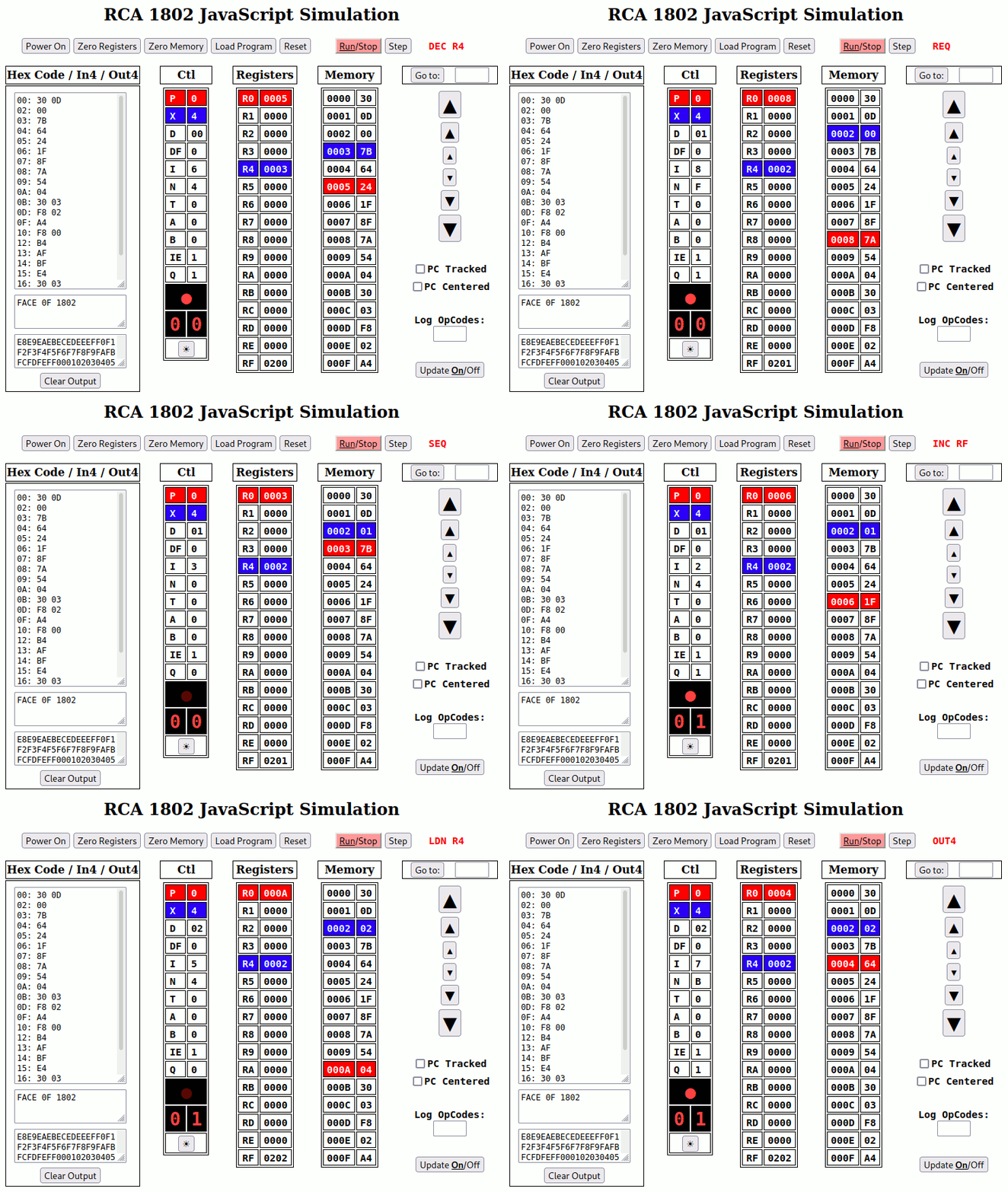
– Demonstration of “Elf” (RCA 1802) computer simulation
– Discussions of photo storage
September 16, 2021 at 4pm – 6 attendees
Open session – General discussions (Zoom session deferred until next week)
September 23, 2021 at 4pm – 4 attendees
First Zoom Meeting of MMCC – Members practiced “Zooming” with each other
September 30, 2021 at 4pm – 6 attendees
– Second Zoom Meeting of MMCC – More “Zoom” practice and fun exploration.
– Dora got help with her PhotoStick backups.
– Ann got help bringing her tablet back to life.
– Freddy got help using his cell phone as a WiFi hot spot for his computer.
October 7, 2021 at 4pm – 6 attendees
– Third Zoom Meeting of MMCC – Even more “Zoom” practice.
– One of our members had his Windows 10 computer stuck in “Tablet Mode”
which forced all windows (applications) into full screen mode. This made
it very difficult to use. A little digging uncovered the problem.
– Thanks to everyone who attended!
October 14, 2021 at 4pm – 4 Attendees
This was an open meeting with individual help (neighbors helping neighbors).
– Dan practiced taking video with his new tablet.
– Dora explored customizing her desktop and navigating the file system to find files/photos.
October 21, 2021 at 4pm – 3 Attendees
Introduction to video editing. This overview showcased 2 free and open source video editors (KDENLive and OpenShot). A complete project was constructed from scratch in each of the two video editors to show their similarities and differences
October 28, 2021 at 4pm – 5 Attendees
– More video editing and general help.
– Dan began work on a video for one of his songs.
November 4, 2021 at 4pm – 6 Attendees
– Dan gave us a preview of his video project and shared CDs with some club members.
– Dora showed her work on Julian Apple Festival video project.
– Connie got some help with Microsoft PowerPoint presentations.
– Fredy got help recovering some of his on-line accounts.
– Candy and Dora are planning a send-off party for our long-time mail delivery person (10:30am this Saturday on the lawn near the food bank – with cake). Come wish her a long and happy retirement!
November 11, 2021 at 4pm – 6 Attendees
– Dora brought home-made Tiramisu in celebration of Dan’s song and project.
– Natalie got some help with file navigation and inserting documents in Word.
– The club discussed and approved holding a Thanksgiving Pot Luck.
– The club spent some time discussing future roles for the MMCC.
– Dora got some help inserting pictures into Libre Office documents.
– Fredy got a little more help handling his on-line accounts.
Thanks to everyone who attended!!
November 18, 2021 at 4pm – 7 Attendees
– More discussion about holding a Thanksgiving day pot luck at the club house.
– General help and discussion.
November 25, 2021 at 4pm – 7 Attendees
– Demonstrated using a Raspberry Pi to view the Thanksgiving Day Parade.
– Happy Thanksgiving!!
December 2, 2021 at 4pm – 5 Attendees
– Discussions on file management – moving, copying, and deleting files.
– Connie got help installing a Dictionary program to help with writing.
December 9, 2021 at 4pm – 6 Attendees
– General help and discussions.
– Demonstrated removal and reinstallation of Dictionary program from CD.
– Dora shared some of her image editing expertise – Thanks Dora!
December 16, 2021 at 4pm – 4 Attendees
– General help and discussions.
– Connie got help managing photos on her cell phone
– Fredy got help downloading and managing photos on Google Drive
December 23, 2021 at 4pm – 3 Attendees
– General help and discussions
– How to recover photos from Google’s Photo application
December 30, 2021 at 4pm – 4 Attendees
– General help and discussions
– Help with identifying storage locations on cell phones
– Help managing storage space on cell phones
January 6, 2022 at 4pm – 5 Attendees
– Quick refresher of how the Internet works
– Demonstration of wired and wireless client/server networking
– A Local Area Network (LAN) was established and joined
– A web server was demonstrated to serve pages on the LAN
– Web pages were constructed, modified, and viewed via the LAN
January 13, 2022 at 4pm – 4 Attendees
– Help locating lost photos on a Chromebook computer
– Exploration of internal/external memory storage in digital cameras
January 20, 2022 at 4pm – 3 Attendees
– New (used) Chromebook to be explored
– Meeting adjourned early
January 27, 2022 at 4pm – 4 Attendees (in main clubhouse)
– Met in main clubhouse because card room was in use
– More Raspberry Pi demonstrations
February 3, 2022 at 4pm – 6 Attendees (in main clubhouse)
– Finding and managing photos on an Android phone
– Managing internal/external storage space on an Android phone
– Basic operation of a Jitterbug phone
February 10, 2022 at 4pm – 5 Attendees (in main clubhouse)
– Demonstration of making a video and posting on YouTube
February 17, 2022 at 4pm – 6 Attendees (in main clubhouse)
– Introduction to understanding web pages and HTML
– The magnoliamobilenews.com HTML was examined lightly
– Several simple web pages were examined in detail
– A member got help preparing video for showing on Zoom
– Assignment: Develop an idea for a few simple web pages
February 24, 2022 at 4pm – 7 Attendees (in main clubhouse)
– Hands-On Website Building Workshop
– 5 Raspberry Pi 3A+ computers networked through wireless router
– Computers and web sites color coded: Red, Green, Blue, Yellow, Brown
– All web sites written by club members using HTML
– All web sited visible to all other club members
– Tags: <html> <body> <h1> <p> <hr> <ul> <li> <a href=> <img src=>
March 3, 2022 at 4pm – 6 Attendees (in main clubhouse)
– Typing program introduced to help residents learn or improve skills
– Hands-On Website Building Workshop (Continued)
– Linking to other web sites with the “a href” tag
– More practice adding images with the “img” tag
March 10, 2022 at 4pm – 6 Attendees (in main clubhouse)
– Review of web site building concepts
– Everyone used their own computers to build a web page
March 17, 2022 at 4pm – 5 Attendees (in the main clubhouse)
– Open discussions – Neighbors helping Neighbors
– Help with File Navigation on computers and cell phones
March 24, 2022 at 4pm – 4 Attendees (in main clubhouse)
– Open discussions – Neighbors helping Neighbors
– Help with Window management (maximize, minimize, borders)
March 31, 2022 at 4pm – 4 Attendees (in main clubhouse)
– Quick tutorial on Connecting to WiFi Networks
– Practice session on Selecting, Cutting, Copying, and Pasting
April 7, 2022 at 4pm – 4 Attendees (in main clubhouse)
– General help session and getting legal help on-line
April 14, 2022 at 4pm – 3 Attendees (in card room)
– Demonstration of new computer club activities server
– Help with a an Arris DSL Router (not completed)
April 21, 2022 at 4pm – 3 Attendees (in card room)
– Help with small DVDs (finding video files on a DVD)
– Help with incorporating web pages into documents
April 28, 2022 at 4pm – 6 Attendees (in card room)
– Help saving web pages and converting pages into PDF documents
– Learning about “Control-Z” as the general purpose “Undo” command
– Resizing Desktop icons for better visibility and/or capacity
May 5, 2022 at 4pm (in card room)
– Open session – General discussions and neighbors helping neighbors
May 12, 2022 at 4pm (in card room)
– Open session – General discussions and neighbors helping neighbors
May 19, 2022 at 4pm – 4 attendees (in card room)
– Open session – General discussions and neighbors helping neighbors
May 26, 2022 at 4pm – 5 attendees (in card room)
– Open session – General discussions and neighbors helping neighbors
June 2, 2022 at 4pm (in card room)
– Open session – General discussions and neighbors helping neighbors
June 9, 2022 at 4pm – 4 attendees (in card room)
– Introduction to the “Computer Skills Triathlon“
– All participants completed two rounds of the Triathlon! 🙂
June 16, 2022 at 4pm – 4 attendees (in card room)
– Open session – General discussions and neighbors helping neighbors
June 23, 2022 at 4pm – 4 attendees (in card room)
– Open session – General discussions and neighbors helping neighbors
June 30, 2022 at 4pm – 2 attendees (in card room)
– Open session – General discussions and neighbors helping neighbors
July 7, 2022 at 4pm – 2 attendees (in card room)
– Open session – General discussions and neighbors helping neighbors
July 14, 2022 at 4pm – 4 attendees (in card room)
– File Management / File Explorer help (finding files)
– Finding files on external drives (USB “thumb” drives and SD Cards)
– Loading files into virtual “Picture Frame” using an SD Card
– Adjusting / Moving the Task Bar in Windows 10
– Using Google Drive to share files and videos
July 21, 2022 at 4pm – 3 attendees (in card room)
– Preview of “This I Know” music video
– General discussions and help
July 28, 2022 at 4pm – 3 attendees (in card room)
– Computer Skills and Games Page
– Saving a web page (screen shot, bookmark, save a copy)
August 4, 2022 at 4pm – 5 attendees (in card room)
– Inside a computer (thanks to Janet for donating an old computer)
– Case, Power Supply, Motherboard, CPU, Fan, CD ROM, Hard Drive
– All normal “files” are stored on the “Hard Drive” – That’s Important!!
– Visit to the new “Local Talent” page featuring Dan’s YouTube music
August 11, 2022 at 4pm – 6 attendees (in card room)
– Presentation and hands-on activities with Simple Computers
– Computers are machines that follow instructions
– Computer programming is the practice of writing computer instructions
August 18, 2022 at 4pm – 7 attendees (in card room)
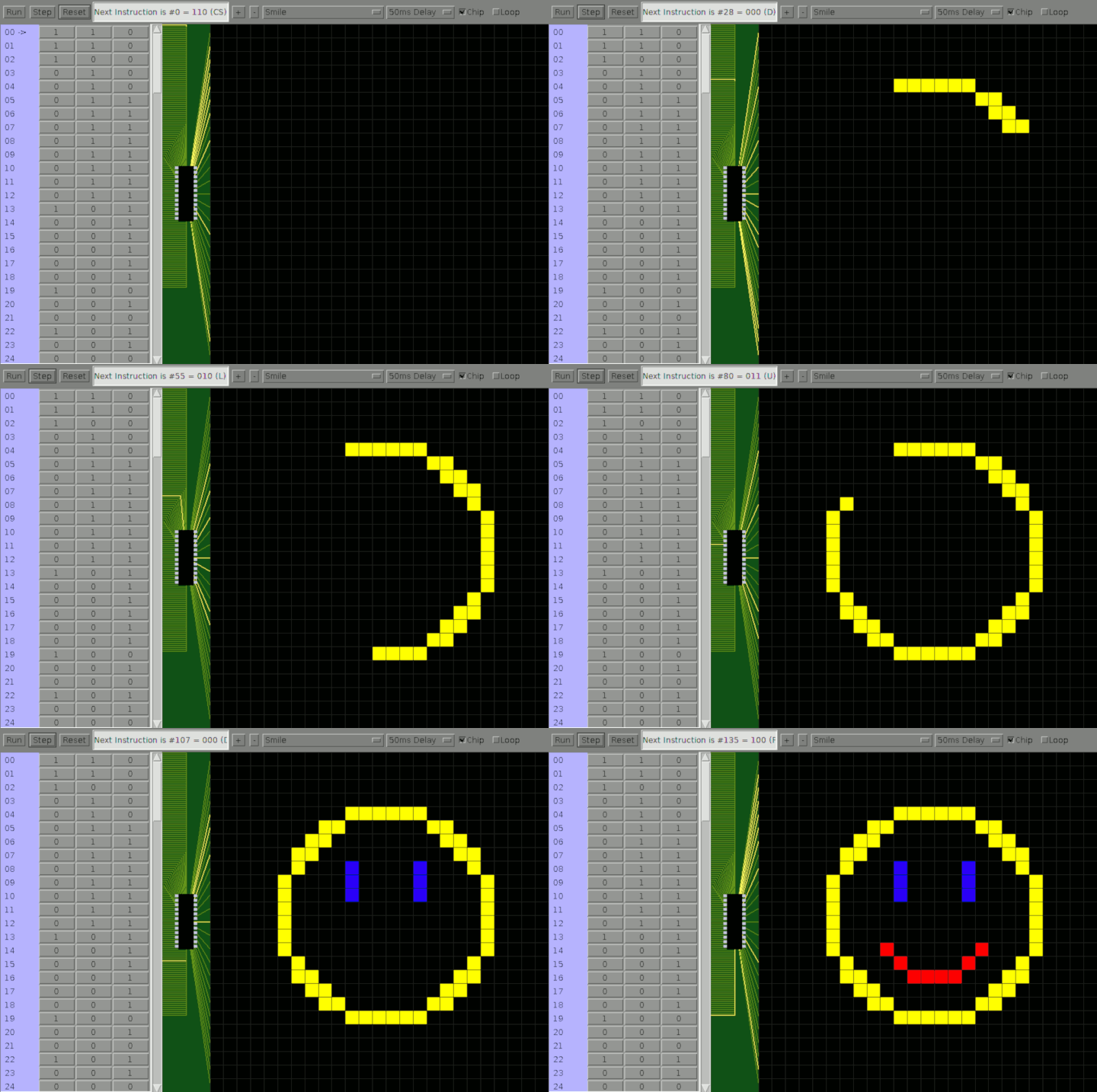
– Hands-on activities with with Simple 3-Bit Color Drawing Computer
– Writing simple graphics programs with the Simple 3-bit Color Drawing Computer
– Recovering from inadvertent screen orientation settings in Windows
August 25, 2022 at 4pm – 6 attendees (in card room)
– Demonstration of Computer Voting System (Plurality, Majority, Run-off Methods)
– Help and exploration of a Digital Photo Frame (setting up photos on Frame)
September 1, 2022 at 4pm – 5 attendees (in card room)
– Overview of Office Suite concept (Word Processor, Spreadsheet, Database, Presentation…)
– History of Star Office, Open Office, and Libre Office
– Live demonstration of Libre Office styles and images
September 8, 2022 at 4pm – 5 attendees (in card room)
– Programming with JavaScript example: Scrabble Game
– Discussion about a programming approach to play Scrabble
September 15, 2022 at 4pm – 4 attendees (in card room)
– Playing games with JavaScript on Windows
– Installation of TiVo at a club member’s home
September 22, 2022 at 4pm – 5 attendees (in card room)
– Discussions about using different Operating Systems
– General discussions and neighbors helping neighbors
September 29, 2022 at 4pm – 4 attendees (in card room)
– Initial demonstration of Windows XP / Linux on Compaq Presario 2200
– General discussions and neighbors helping neighbors
October 6, 2022 at 4pm – 4 attendees (in card room)
– Review / Introduction to: File Systems and Dual Booting
– Full demonstration of Windows XP / Puppy Linux on Compaq Presario
– Surfed the web and played YouTube videos with “Puppy Linux” on Presario
October 13, 2022 at 4pm – 4 attendees (in card room)
– General discussions and neighbors helping neighbors
October 20, 2022 at 4pm – 4 attendees (in card room)
– General discussions and neighbors helping neighbors
October 27, 2022 at 4pm – 5 attendees (in card room)
– Early “Artificial Intelligence” programs
– Guess an Animal JavaScript program
November 3, 2022 at 4pm – 9 attendees (in card room)
– Janet got her new computer with “Puppy Linux“
– Searching for lost files in Windows 10 (search tool from file manager)
– Discussion about cookies and how the Internet works (browsers and servers)
November 10, 2022 at 4pm – 6 attendees (in card room)
– Review of Wireless Connection procedure in “Puppy Linux“
– Instruction and Practice setting shortcuts on the Desktop in Windows 10
– Demonstration of using “Libby” with San Diego County Library (sdcl.org)
– Posted Computer Club flyer on Computer Room bulletin board
November 17, 2022 at 4pm – 5 attendees (in card room)
– Discussions and a demonstration about password security and length
– Discussions about Crypto Currency (how it works)
– Discussions about upcoming Thanksgiving Day
November 24, 2022 at 4pm – 6 attendees (sharing turkey in club house)
– Thanksgiving day feast – and almost no computer discussions. 🙂
December 1, 2022 at 4pm – 2 attendees (in card room)
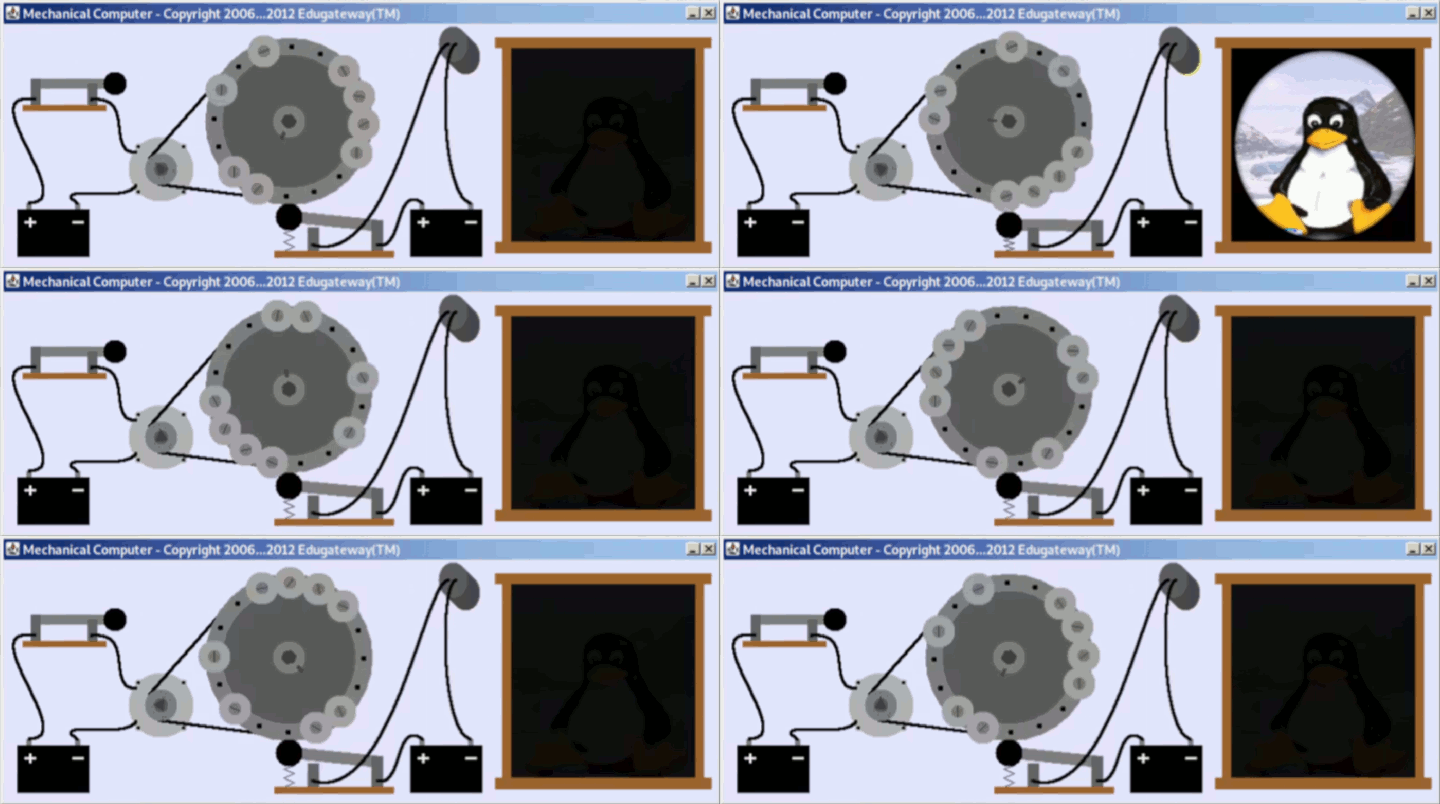
– Video of home-made computer using only logic gates and simple ICs
– Demonstration of a simulation of the home-made computer
– Questions and help with individual issues
December 8, 2022 at 4pm – 6 attendees (in card room)
– Demonstration of simple Computer Logic Gates simulations
– Discussion of computer processors as collections of gates
– Demonstration of an “Adder” circuit made up of logic gates
– Questions and help with individual issues
December 15, 2022 at 4pm – 6 attendees (in card room)
– Celebration of 75th anniversary of the invention of the transistor
– Discussion about transistors as switches and amplifiers
– Discussion about transistors as the switches behind logic gates
December 22, 2022 at 4pm – 5 attendees (in card room)
– Demonstration and discussion of Christmas Snow Program
– Computer Club Christmas Celebration
December 29, 2022 at 4pm – 7 attendees (in card room)
– Happy Holiday Open Discussions 🙂
January 5, 2023 at 4pm – 4 attendees (in card room)
– Password Managers – Keepass was demonstrated
– General discussions (and sewing machine assistance!!)
January 12, 2023 at 4pm – 7 attendees (in card room)
– Welcome to two new attendees (Judy and Donna)
– Discussion of future club activities
– Dora will demonstrate “paint.net” for photo editing next week
– We might also discuss other online JavaScript Applications
January 19, 2023 at 4pm – 6 attendees (in card room)
– General discussion (and treats!)
January 26, 2023 at 4pm – 5 attendees (in card room)
– Discussion of QR codes
– Demonstration of creating a QR code from text.
February 2, 2023 at 4pm – 5 attendees (in card room)
– Exploration of https://www.instructables.com web site
– Discussion of the cardboard “CardIAC” computer
– Demonstration of paper and computer versions of CARDIAC
– References: Drexel University and Instructables
February 9, 2023 at 4pm – 5 attendees (in card room)
– Help setting, managing, and using Bookmarks in Chrome
– Help changing desktop backgrounds in Windows
– Help sharing documents in Word and Google Docs
February 16, 2023 at 4pm – 7 attendees (in card room)
– Demonstration of using GitHub to work on shared projects
– Open discussions and individual help
February 23, 2023 at 4pm – 3 attendees (in card room)
– Demonstration of tiny computers from 1971 – 2023
– Discussion of printer problems
March 2, 2023 at 4pm – 5 attendees (in card room)
– Open discussions and individual help
March 9, 2023 at 4pm – 4 attendees (in card room)
– Using an older computer as a sound system
March 16, 2023 at 4pm – 5 attendees (in card room)
– General discussions and help
March 23, 2023 at 4pm – 4 attendees (in card room)
– General discussions and help
March 30, 2023 at 4pm – 4 attendees (in card room)
– General discussions and help
April 6, 2023 at 4pm – 5 attendees (in card room)
– General discussions and help
April 13, 2023 at 4pm – 4 attendees (in card room)
– General discussions and help
April 20, 2023 at 4pm – 3 attendees (in card room)
– General discussions and help
April 27, 2023 at 4pm – 3 attendees (in card room)
– General discussions and help
May 4, 2023 at 4pm – 6 attendees (in card room)
– Computer Settings (Windows), Browser Settings (Chrome and others)
– General discussions and help
May 11, 2023 at 4pm – 5 attendees (in card room)
– More Computer Settings and Browser Settings
– General discussions and help
May 18, 2023 at 4pm – 5 Attendees (in card room)
– General discussions and help
– Preview of simple 1802 based computer (in a cardboard box)
May 25, 2023 at 4pm – 4 Attendees (in card room)
– General discussions and help
June 1, 2023 at 4pm – 5 Attendees (in card room)
– Running a simple 1802 based computer (blinking light example)
– General discussions and help
– Founding an Association
June 8, 2023 at 4pm – 5 Attendees (in card room)
– General discussions and help
June 15, 2023 at 4pm – 4 Attendees (in card room)
– General discussions and help
June 22, 2023 at 4pm – 3 Attendees (in card room)
– Help with managing voice on Windows
– Voice Recognition controls and settings
– Screen Reader controls and settings
August 1, 2024 at 4pm – Printer Give Away
December 18, 2025 at 4pm – 4 Attendees (in card room)
– Christmas Tree Circuit Boards
December 25, 2025 – (no meeting on Christmas day)
January 1, 2026 – (no meeting on Christmas day)
January 8, 2026 – Phone help
January 15, 2025 – Artificial Intelligence and other technology discussion
January 22, 2025 – Three way phone calls
 Magnolia Mobile News