
This page is intended to help people purchase a Raspberry Pi computer system. Note that all prices were sampled between December 19th and December 25th, 2020.
First off, there are hundreds (maybe thousands) of combinations of hardware and software to build a working Raspberry Pi computer system. Options include different versions of the Raspberry Pi itself, different amounts of memory, different SD Card sizes, different keyboard and mouse combinations, different peripherals, different cable and/or wireless connections and so on. The options can be overwhelming.
This guide attempts to simplify all these options by listing a just a few simple combinations that make sense in a few common situations. Note that none of these combinations include internet service, and they all assume that you already have a television with at least one HDMI connection available.
A Good Inexpensive System (Raspberry Pi 3 Model B+):
The following table gives the lowest prices found for a reasonably useful general purpose computing system (Raspberry Pi 3 Model B+) with wireless keyboard and mouse as of December 25th, 2020:
| Item | Price | Link to Product |
|---|---|---|
| Raspberry Pi 3 Model B+ | $24.99 | Micro Center |
| Wireless Keyboard and Mouse | $11.99 | Micro Center |
| Micro USB Charger | $8.87 | Walmart |
| HDMI Cable | $1.99 | 99 Cent Only |
| Micro SD Card 32GB | $3.49 | Micro Center |
| Total | $51.33 |
Optional Sources for a Good Inexpensive System (Raspberry Pi 3 Model B+):
Unfortunately, some of those lowest price options may have limited or restricted availability (sometimes in-store purchases only), so here’s a more complete list for a few vendors (Micro Center, Best Buy, Walmart, and 99 Cent Only). You can follow each link to decide which price and availability combinations work best for you.
| Item | Price | Link |
|---|---|---|
| Raspberry Pi 3 Model B+: | ||
| $24.99 | Micro Center | |
| $34.99 | Best Buy | |
| $43.99 | Walmart | |
| Wireless Keyboard and Mouse | ||
| $11.99 | Micro Center | |
| $19.98 | Walmart | |
| $19.99 | Best Buy | |
| $22.99 | Micro Center | |
| Micro USB Charger | ||
| $8.87 | Walmart | |
| $8.99 | Micro Center | |
| $21.99 | Best Buy | |
| HDMI Cable | ||
| $1.99 | 99 Cent Only | |
| $5.95 | Walmart | |
| $5.99 | Micro Center | |
| $7.99 | Best Buy | |
| Micro SD Card 32GB | ||
| $3.49 | Micro Center | |
| $7.44 | Walmart | |
| $8.99 | Best Buy |
Overview of Parts:
The Raspberry Pi 3 Model B+ system above is just one of many configurations. But whatever configuration you purchase, you will will need these 6 items to build a Raspberry Pi computer system:
- Raspberry Pi Computer ($20 to $65) $20 Example, $25 Example, $65 Example
- Raspberry Pi Power Supply ($5 to $10) $10 Example, $6 Example (USB C)
- Keyboard and Mouse (about $20) $20 Wired Example, $23 Wireless Example
- SD Card with Operating System ($5 to $15) $5 Example (no OS), $15 Example
- HDMI Cable (about $5 to $15) $9 HDMI Example, $11 Micro HDMI Example
- Television with an HDMI port (hopefully you already have this!) $79 Example
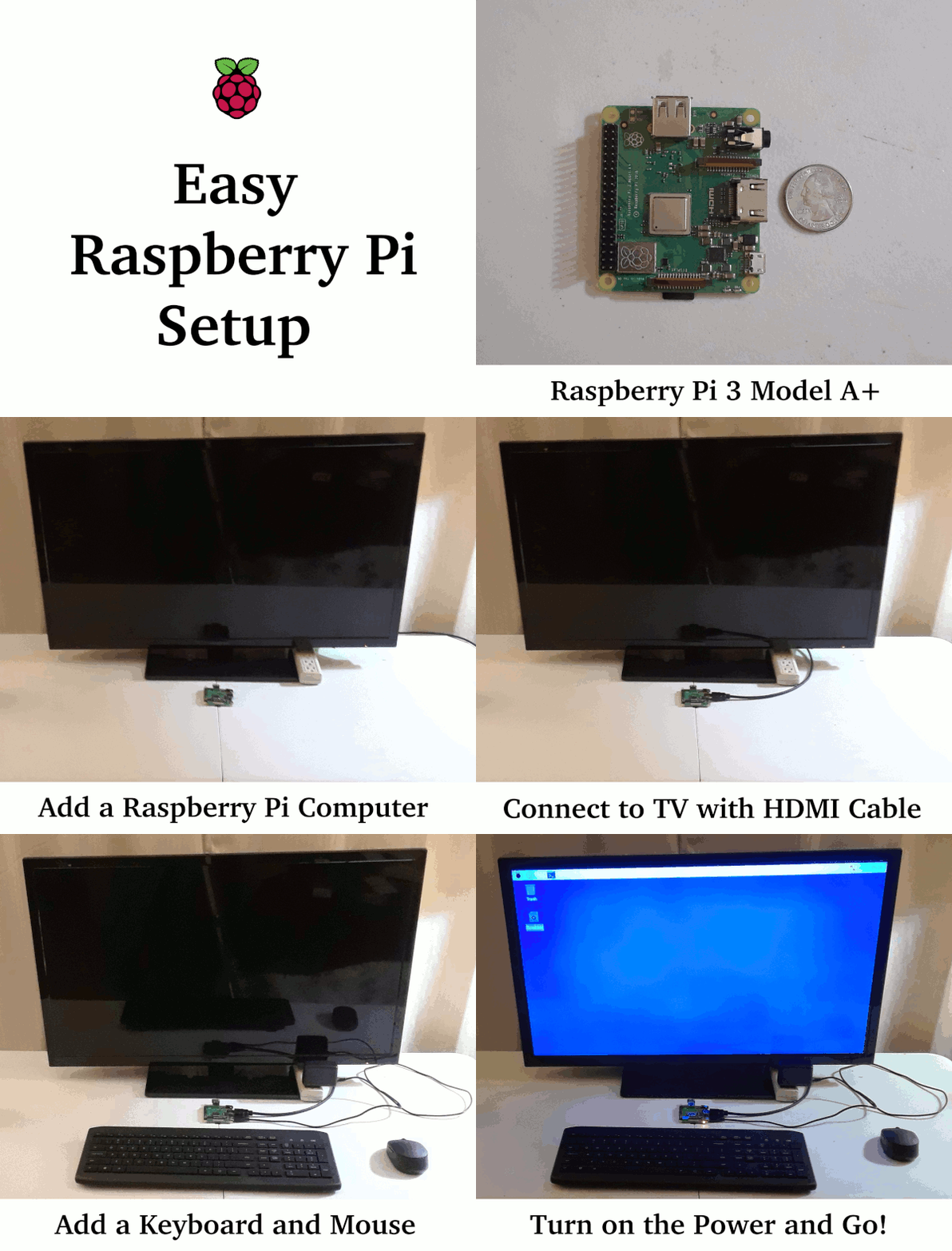
So excluding the television, a complete system purchased as components can reasonably cost about $55 to $125. But be careful, not all Raspberry Pi computers use the same connectors. For example, the Model 3 versions use a regular HDMI connector, while the Model 4 versions require a mini-HDMI connector. There are also kits available that can further reduce the cost of the complete system. Similarly, the Model 3 versions use a mini-USB power connector, but the Model 4 uses a USB-C connector. Various kits can simplify these choices and save money as well. For example, the Pi 3 Model A+ Starter Kit is currently available for $38 (as low as $35 on December 19th, 2020), and it includes everything except the television. Here’s an example of how the components (either purchased separately or as a kit) go together:
Which Raspberry Pi Computer?
There are a number of variations of Raspberry Pi computers available. The computing power is readily available in 4 levels (Pi 0, Pi 2, Pi 3, and Pi 4). As a desktop computer, the Pi 3 and Pi 4 are the best choices. The Pi 3 has more conventional connections, but the Pi 4 has better performance with a slightly higher price.
The Pi 3 comes in 2 models: Model A and Model B.
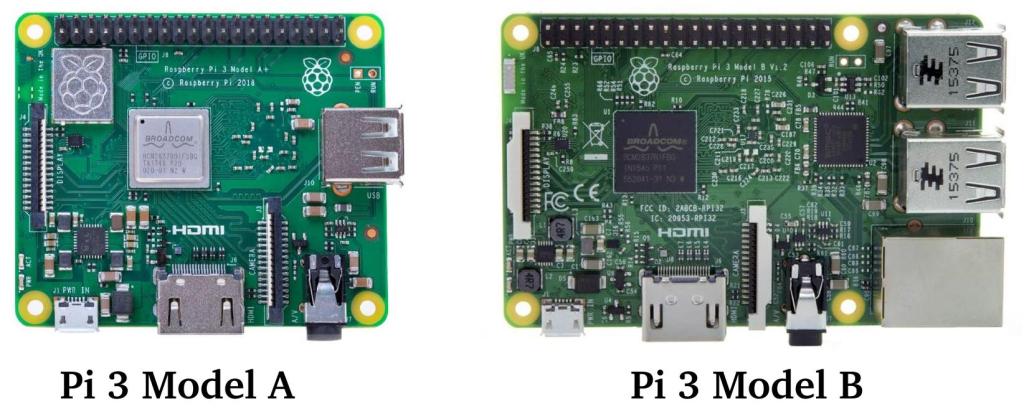
The Pi 3 Model A costs about $20, and the Pi 3 Model B costs about $35. The main disadvantage of the Model A is that it only has one USB port which can be restricting in a number of ways. Unless money is very tight, the Pi 3 Model B is generally the better choice.
The Pi 4 also comes in 2 models: Pi 4 Model B and Pi 400:
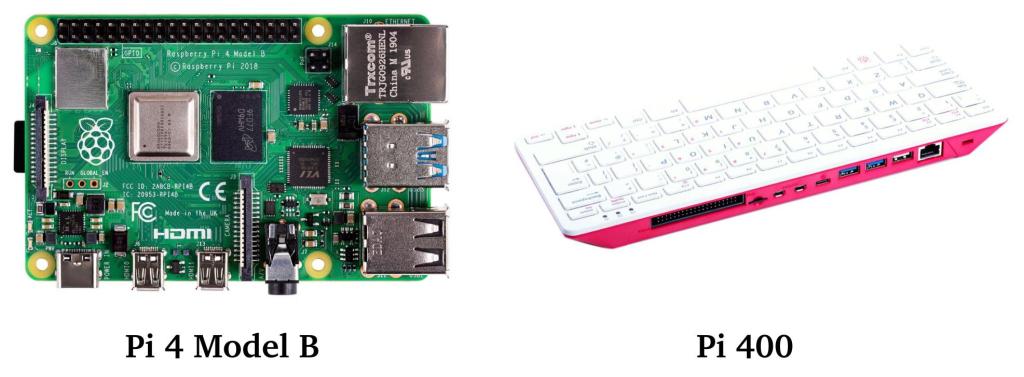
The Pi 4 Model B comes with 3 different amounts of memory (2GB, 4GB, and 8GB). The cost goes up accordingly (about $30, $50, and $65). The Pi 400 comes with 4GB of memory and costs about $70. The Pi 400 is essentially a Pi 4 Model B inside of a keyboard (similar to the early 1980’s home computers like the Commodore 64 and the Timex-Sinclair).
The choice of which model depends on what you want to do with it. If you just want to surf the web or dip your toes into the Raspberry Pi world, then the Pi 3 Model B is a pretty good choice. If saving money is top priority, then the Pi 3 Model A can save a little bit … especially if you’re using a keyboard and mouse on the same USB port. If you’d like more performance, then either of the Pi 4 models (Pi 4 Model B or Pi 400) are your best choices. The difference between the Pi 4 Model B and the Pi 400 will mostly depend on whether you’d like to use a wireless keyboard or not. If you plan to sit at a desk right in front of your screen, then it won’t matter, and the Pi 400 is a good choice. But if you want to sit across the room from your screen, then the Pi 4 Model B will let you use it with a wireless keyboard and mouse.
Raspberry Pi 3 Model A+ with wireless keyboard and mouse
- Raspberry Pi Model A+ $20 Example
- Raspberry Pi Power Supply $10 Example
- Wireless Keyboard and Mouse $23 Example
- 32 GB SD Card $4 Example (no OS)
- HDMI Cable $9 HDMI Example
The total cost is $66 without an OS (which can be downloaded for free).
Raspberry Pi 3 Model B Components with wireless keyboard and mouse
- Raspberry Pi 3 Model B+ $25 Example
- Raspberry Pi Power Supply $10 Example
- Wireless Keyboard and Mouse $23 Example
- 32 GB SD Card $4 Example (no OS)
- HDMI Cable $9 HDMI Example
The total cost is $71 without an OS (which can be downloaded for free).
Raspberry Pi 4 Model B Components with wireless keyboard and mouse
- Raspberry Pi 4 Model B 2GB Computer $30 Example
- Raspberry Pi USB C Power Supply $7 Example
- Keyboard and Mouse $23 Wireless Example
- SD Card without Operating System $4 Example (no OS)
- Micro-HDMI to HDMI Cable $11 Example
The total cost is $75 without an OS (which can be downloaded for free).
What about kits?
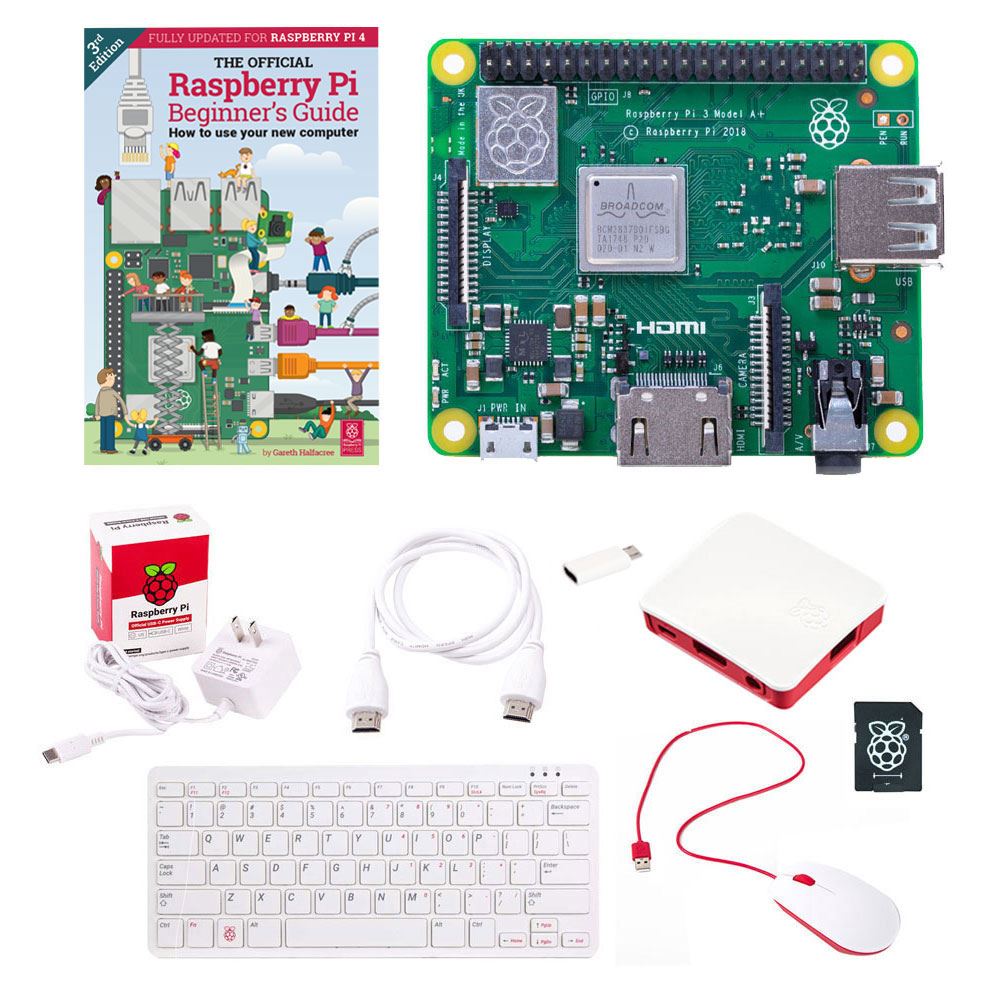
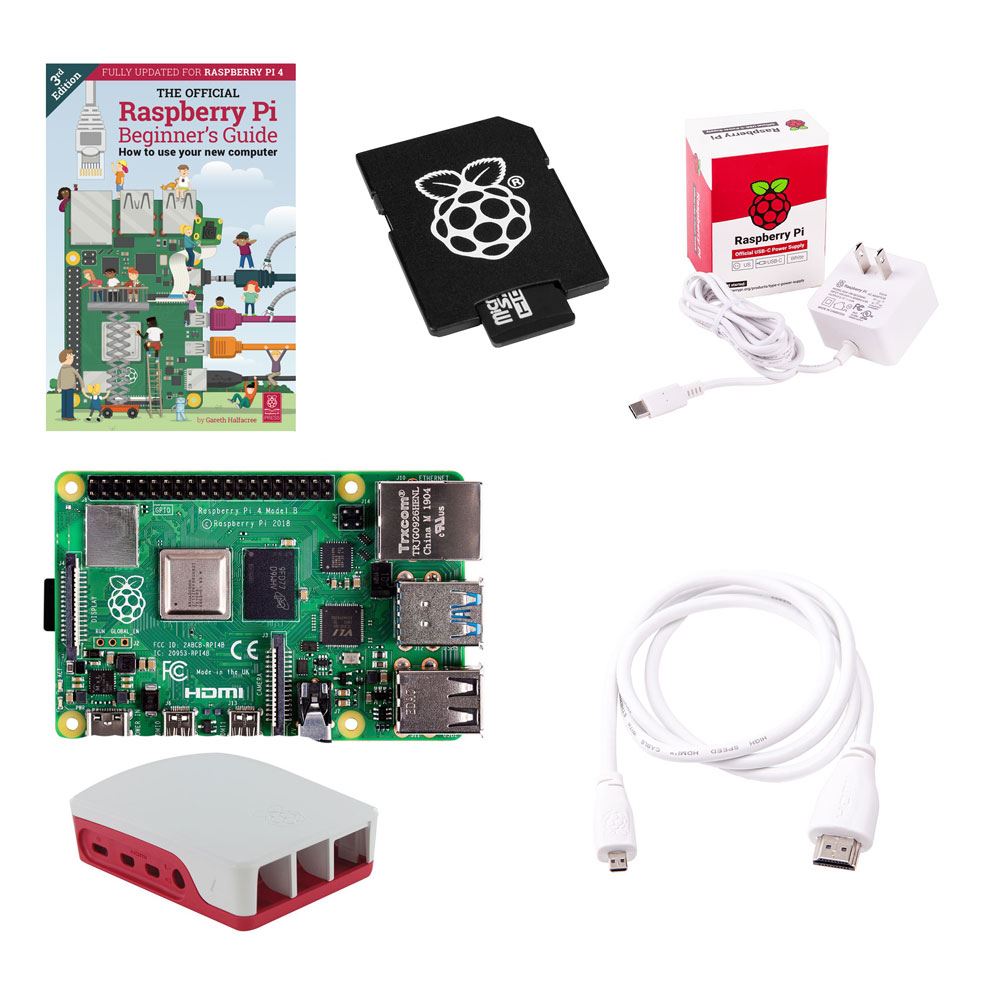
There are a number of Raspberry Pi kits available. Some of the kits are partially complete, and may require additional components such as a keyboard, mouse, cables etc. Other kits are fully complete with everything but the television included. Note that all of the kits that include a keyboard and mouse are wired (not wireless). Here are a few kits available at Micro Center:
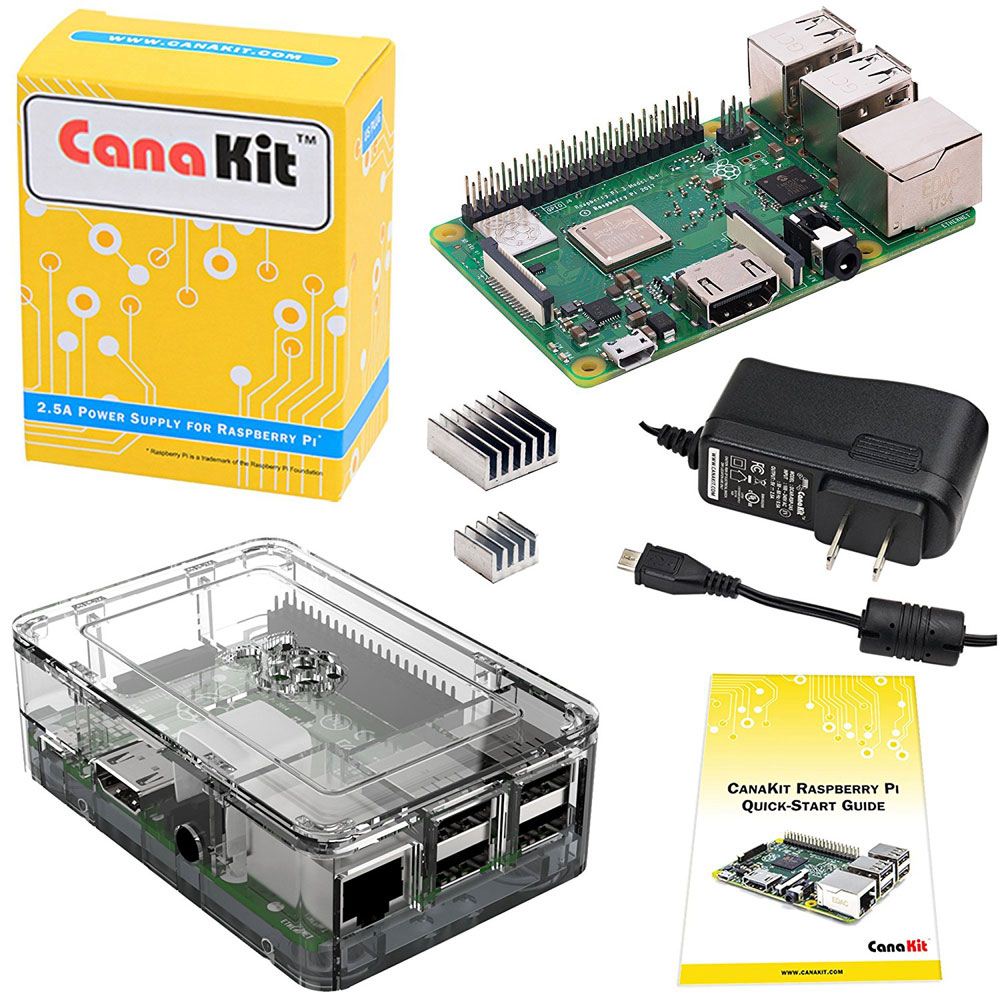
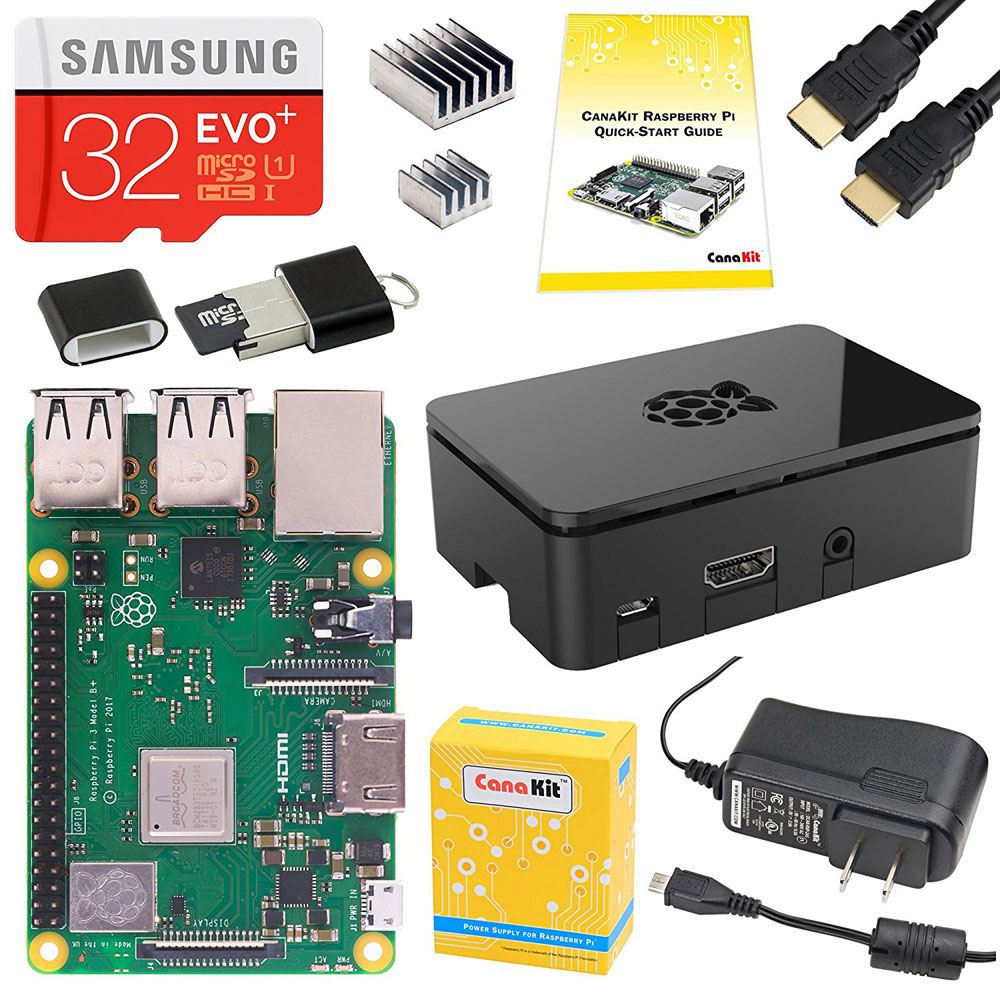
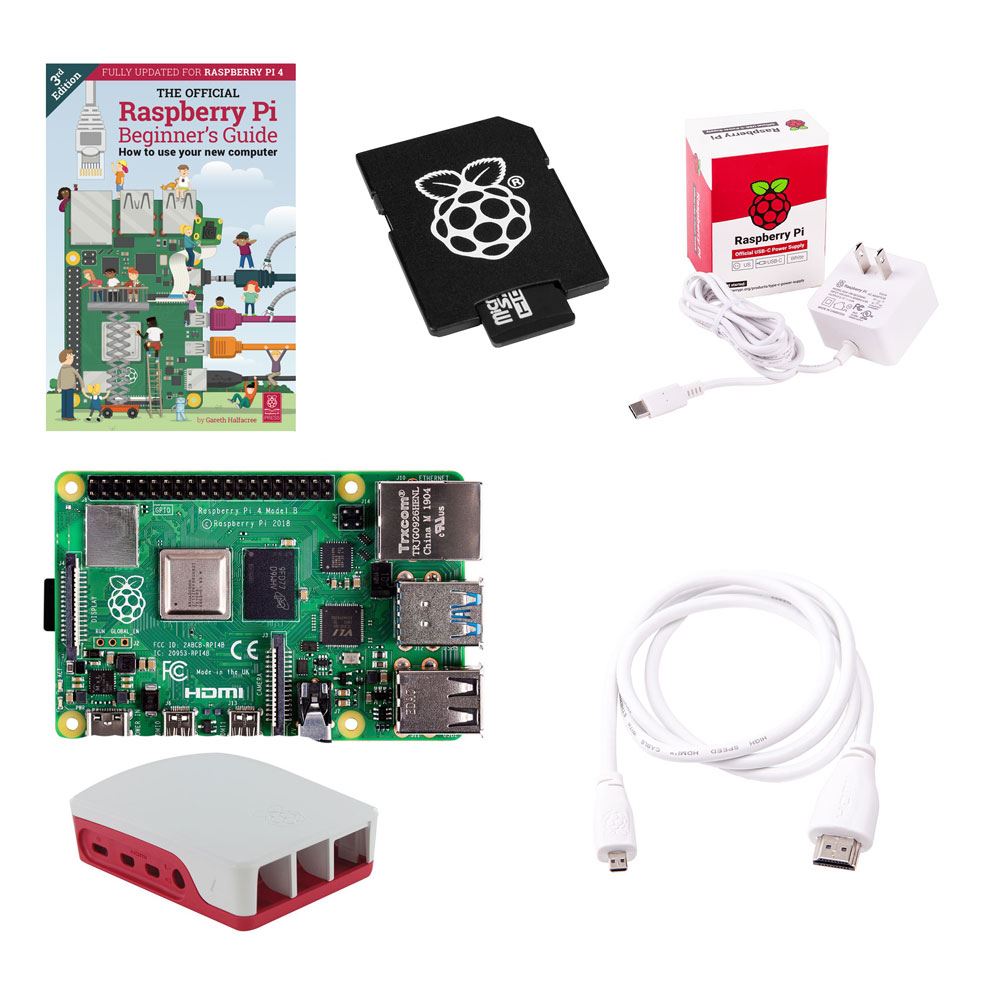
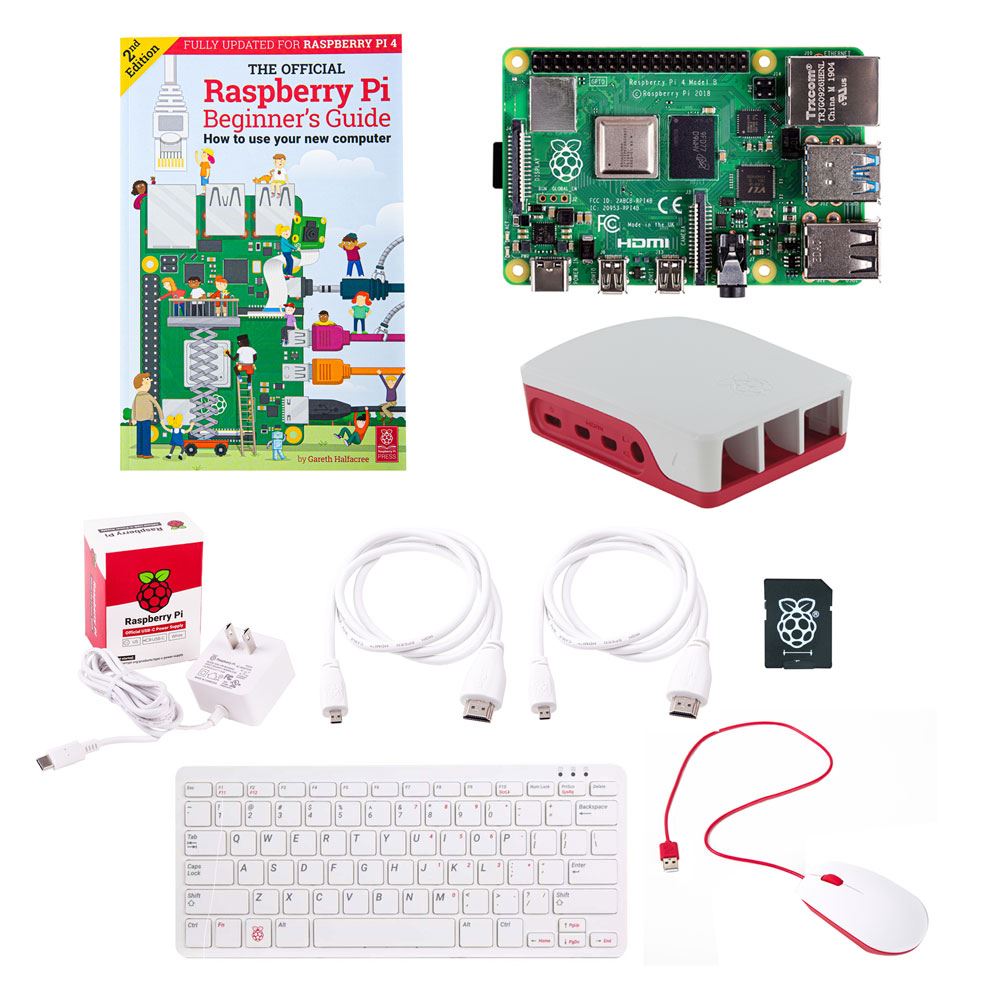
Amazon
You can also find Raspberry Pi computers and kits on Amazon.com. These tend to be a bit more expensive, but the convenience of home delivery might be worth it for some folks. For example, the Raspberry Pi 3A÷ Official Starter Kit at Micro Center is currently about $30. The same kit on Amazon is about $60. Similarly, the Raspberry Pi 4B Official Desktop kit is about $75 at Micro Center, but the same Pi 4B kit on Amazon is about $120. The price is considerably more, but considering the cost of driving, and the convenience of home delivery, it might be a good trade off. Here are some links to Raspberry Pi products on Amazon:
Of course you can similarly shop on Amazon for all of the other items in this buyer’s guide. But if price is not an issue, then purchasing the Pi 4B Official Desktop Kit from Amazon might be the best choice.
Common Places to Shop for Raspberry Pi Computers and Products









Update as of February, 2022:
This article was originally published in late 2020. Since that time, the pandemic and other global challenges have increased the price and decreased the availability of the Raspberry Pi computers. For example, the 3A+ kits which had been between $30 and $35 (at the time of this article) are now selling for around $65. Hopefully they will come back down to their previous prices soon.
 Magnolia Mobile News
Hello everyone! I recently found a HDMI cable at the 99 only store, and it was priced at $1.99! Great Deal!
LikeLike
Hi Candy,
Thanks for that great tip!!
I had quoted $9 for an HDMI cable in my original prices above based on what I’d found at the Micro Center web site (I quoted all of my prices there for “one stop shopping”). The $2 HDMI cable you found at 99-Only cuts most of my system price estimates by $7. That’s pretty significant for a system that’s only costing about $70 in the first place. Thanks for sharing that discount source!
If anyone else finds other discounts, please post them here so everyone can share in the savings.
LikeLike